
Hood Warfare 2 Chain Snatch Guide: Pickups & Denials
Learn Hood Warfare 2 Chain Snatch with five gameplay screenshots showing dropped chains, friendly recoveries and enemy pickups. Follow the video step by step.
FAQ
How do you score in Hood Warfare 2 Chain Snatch?
What is the difference between Chain Retrieved and Chain Snatched?
Do I need to carry a chain back to a base?
Is the target always 100 points?
What should you do in Chain Snatch?
Collect enemy chains and recover friendly drops. The official Steam description gives both jobs: enemy chains provide points, while retrieving your teammates’ chains keeps the opposing gang from taking them. After a fight, look for the drop and decide whether you can reach it safely.
The five screenshots below follow a red-team player on Supermarket. You can see both pickup messages: Chain Retrieved after a friendly recovery and Chain Snatched after an enemy pickup. The footage illustrates those actions; the scoring rule comes from Steam. The route suggestions are practice advice, rather than a claim that this is the fastest or safest route in every match. Sources and frames checked October 17, 2026.
For a comparison with the other playlists, see the six game modes and their objectives.
Chain Snatch pickups, step by step
1. Look beyond the kill notification
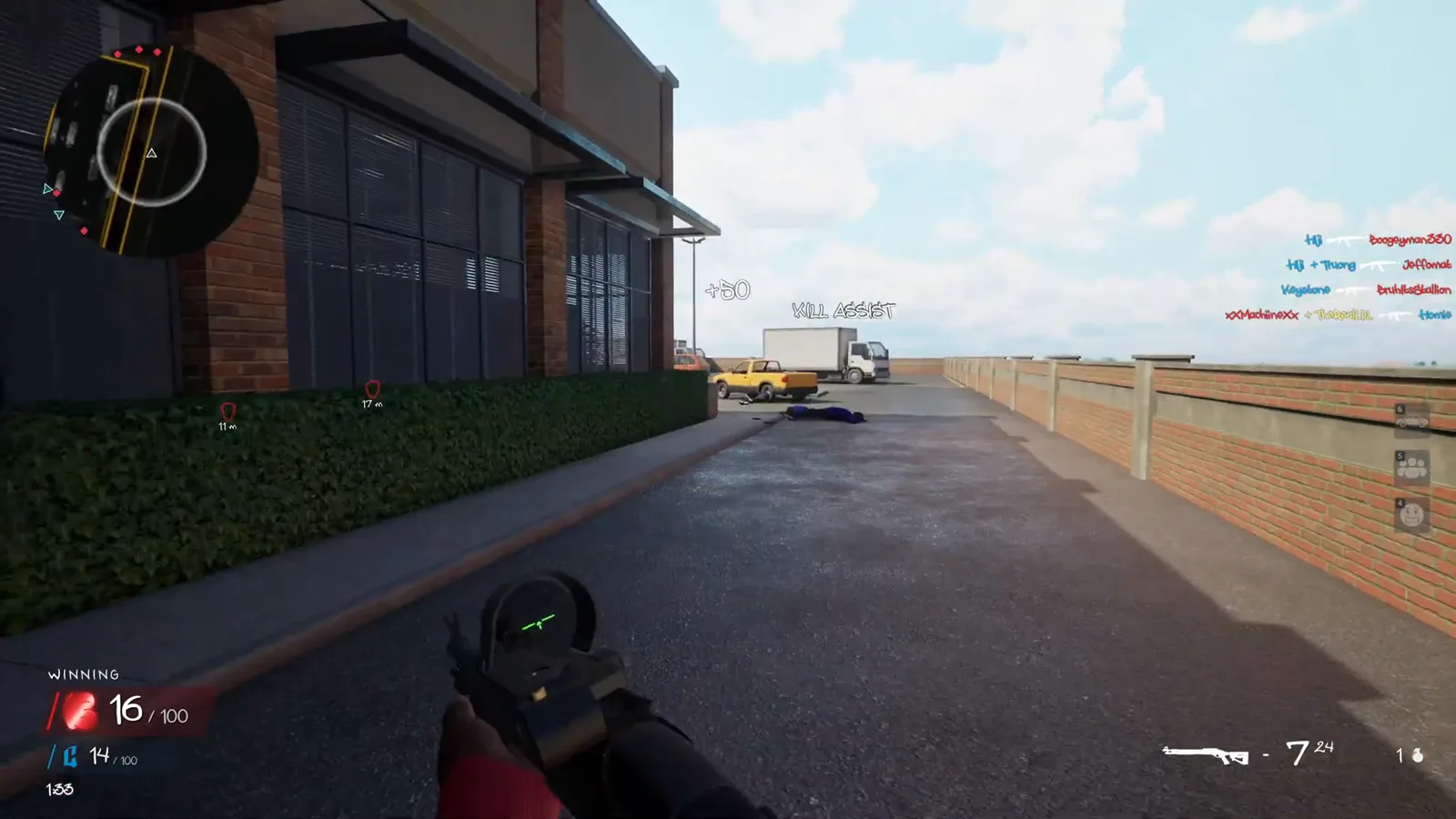
At the Supermarket side lane, the player receives a Kill Assist notification while dropped-chain markers remain visible ahead. A kill-feed entry or assist message does not tell you that a chain has been collected. Before crossing the lane, look at the drop locations and the surrounding entrances.
2. Find a friendly chain before the other gang does
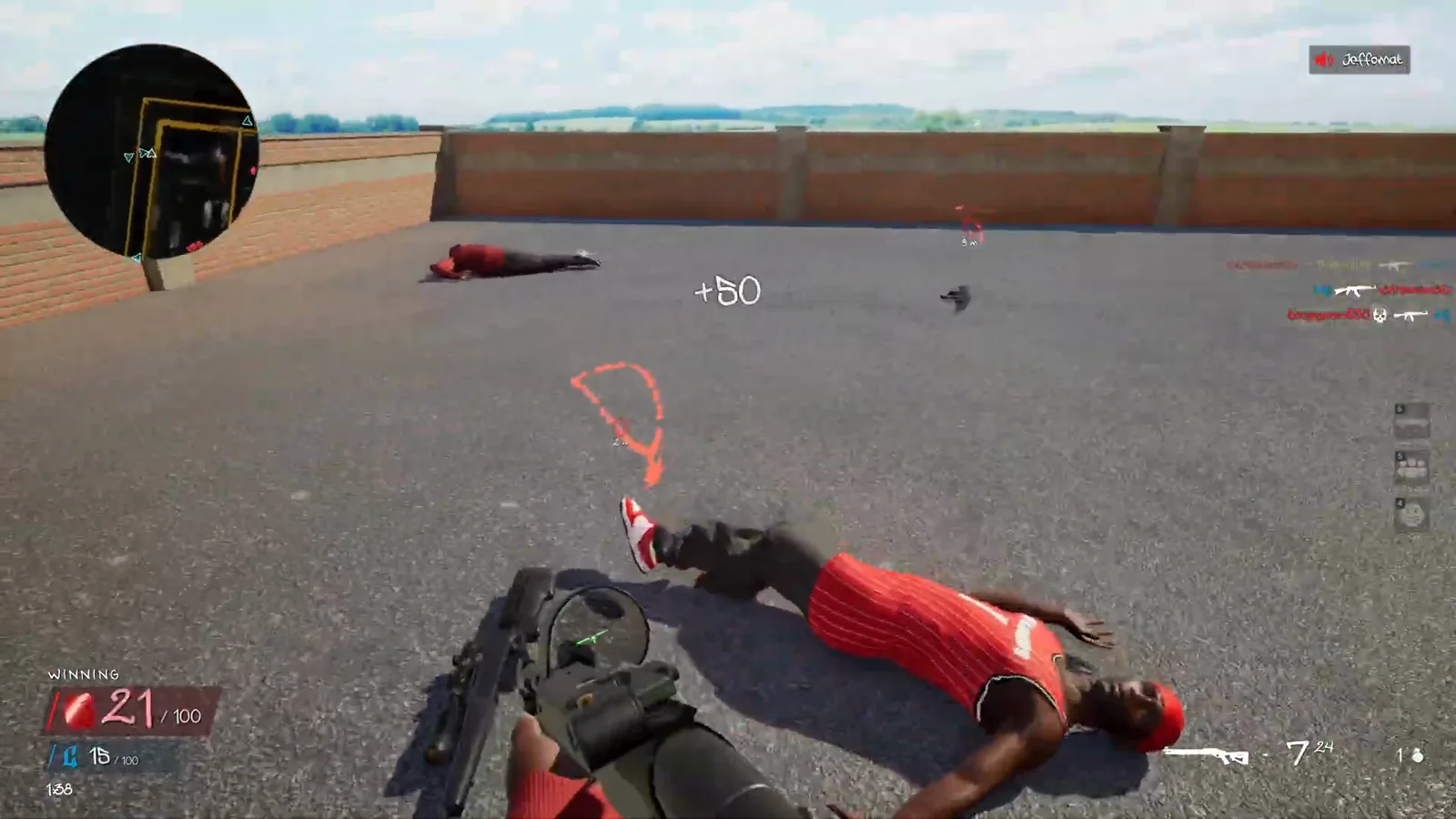
A red chain is visible beside a fallen red-team character in this match. This is the defensive part of the objective: the official rule asks you to recover your teammates' chains before the opposing gang takes them. Here the player moves toward the nearby drop.
3. Check for the Chain Retrieved message
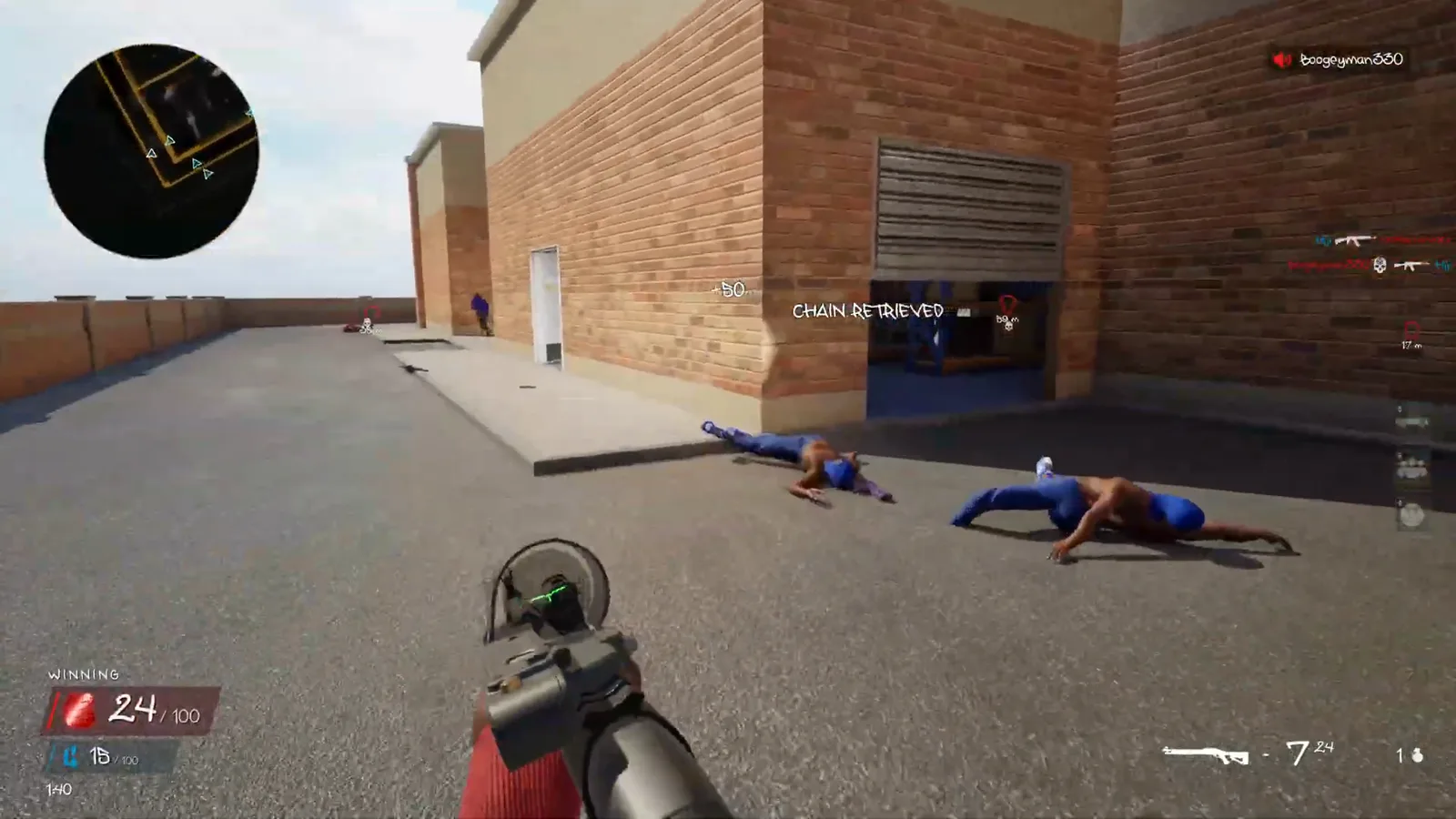
After crossing the friendly drop, the player receives Chain Retrieved. Use that confirmation to check whether the recovery actually happened, then turn your attention back to the lane and stockroom entrance. The recovery removes that opportunity from the opposing gang.
4. Move onto an enemy chain when the approach is clear
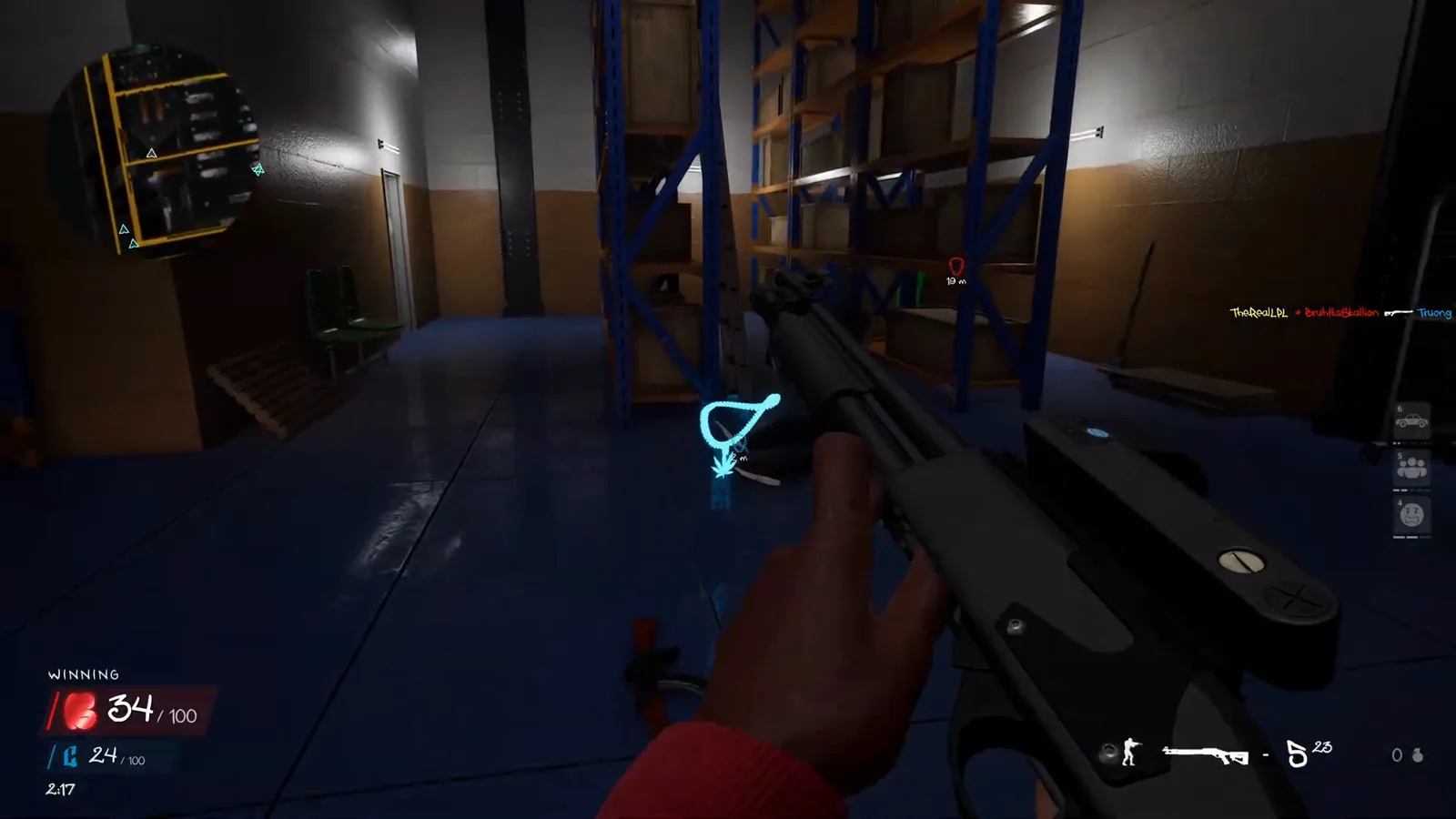
Later in the same match, a blue enemy chain is visible on the stockroom floor beside the shelving. The player moves close enough to collect it. Notice the surrounding shelves and doors as well as the drop: checking those approaches is a useful practice habit before committing to a pickup.
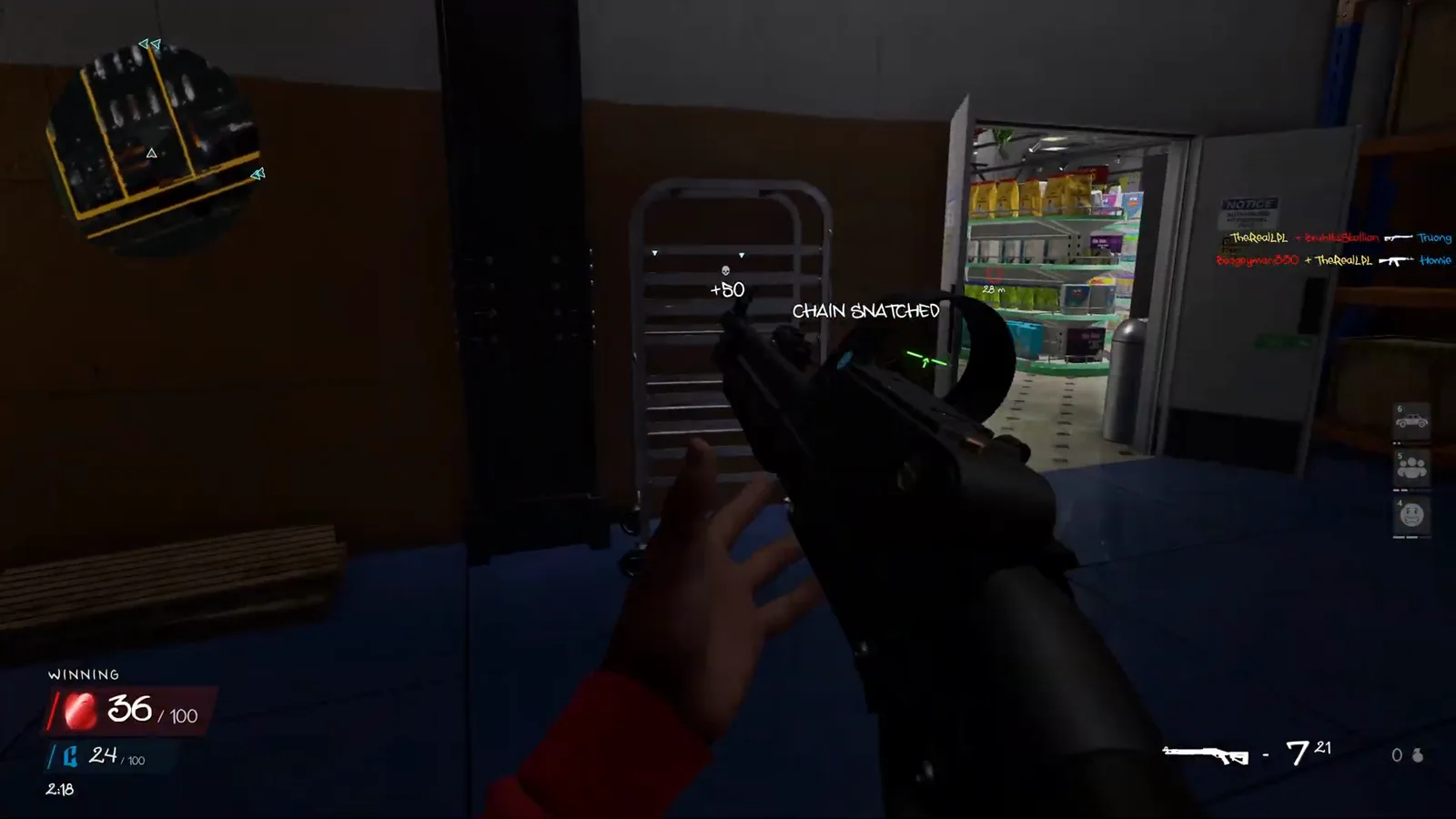
5. Confirm Chain Snatched, then keep watching the match
The next moment displays Chain Snatched, confirming the enemy pickup. The notification appears in the stockroom without a trip back to a base. Check your team score and the next nearby threat before choosing another drop; the recorded match continues immediately after this collection.
Practise the pickup decision
An exposed chain can pull your attention away from the player who is watching it. As a practice exercise, identify one piece of cover near a drop, check the next doorway, and decide whether you can collect it and return to cover. If you are playing with friends, call out the drop’s location so everyone does not run into the same open space.
Use the map-learning routine to make those approaches familiar. For a quieter session, the bot and private-match guide explains the available practice options. Choose Chain Snatch in the current lobby’s mode settings when it is available.
Avoid confusing pickups with other objectives
Chain Snatch asks you to collect dropped chains. The Hit A Lick bag walkthrough covers the separate task of stealing an enemy bag and returning it to your hood. Do not search for a bag-return point to complete the chain pickup shown above.
The source match displays a target of 100, but that is evidence of this recording’s settings. Read the target in your own HUD. Likewise, the floating +50 notifications in the screenshots should not be treated as a universal team-score value: several players are active at once, and a still image cannot isolate every score change.
If voice callouts are getting lost, review the voice-chat controls and audiences. For your first live session, keep the beginner checklist focused on one goal: recognize a drop, make a deliberate approach, and check the pickup confirmation.
Related Articles
modes
Hood Warfare 2 Hit A Lick: Bag Capture Guide (2026)
Learn Hood Warfare 2 Hit A Lick with five gameplay frames: find the enemy bag, confirm Bag Taken, return to your hood and check Bag Captured. Follow the run.
modes
Hood Warfare 2 Game Modes: All Six Objectives Explained
Learn the six Hood Warfare 2 game modes, including territory control, bag captures, chain pickups and one-life bomb rounds.
Was this helpful?
Thanks for the feedback!