
Hood Warfare 2 Guides: Start, Play and Fix Problems
Find the right Hood Warfare 2 guide for your first match, PC setup, voice chat, private lobbies or launch problems. Start with the answer you need.
Starting your first match?
Begin with a custom match and bots so you can repeat one route and check your inputs. Pick one practice goal before joining a public lobby. The beginner guide separates player-level unlocks, attachment challenges and cosmetic rewards so you know which requirement to check next.
Follow the first-match practice planPlanning a session with friends?
Check that everyone has the confirmed Windows PC edition before arranging a session. A connected controller does not establish a console release or crossplay. Once your group can play the supported edition, use the private-match guide to distinguish bot practice from a password-protected lobby.
Check platforms and crossplay statusNeed a quiet practice lobby?
Custom matches let you choose maps, modes and settings, with bots to fill teams. Password-only private lobbies were added in patch 1.0.1.4. Before inviting friends, finish updating, agree on the mode and keep the password private. Offline access and progression from bots are not verified here.
Use the bots and private-match checklistStuck on sound, joining or anti-cheat?
Match the symptom to a documented developer change before trying a workaround. For missing game audio, the developer asks you to select an output device in settings. For a missing update, fully exit Steam and check again. The fixes guide records the exact patch labels and what to include in a bug report.
Find the documented fix for your symptom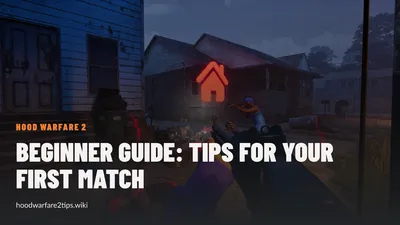
Hood Warfare 2 Beginner Guide: Tips for Your First Match
Start Hood Warfare 2 with a bot practice plan, the right mode objective, sensible loadout checks and the confirmed voice-chat key.
Last updated: 10/16/2026
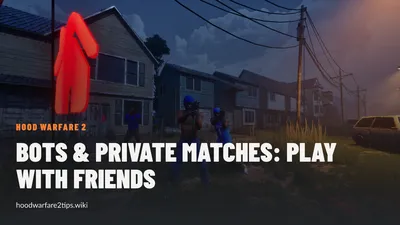
Hood Warfare 2 Bots & Private Matches: Play With Friends
Learn what Hood Warfare 2 confirms about bot matches and password-only private lobbies, plus a practical checklist for hosting friends.
Last updated: 10/16/2026
Hood Warfare 2 Controls: Voice Chat, T Key & Controllers
Find the confirmed Hood Warfare 2 push-to-talk key, team and lobby voice options, PC controller support and sensible input checks.
Last updated: 10/16/2026

Hood Warfare 2 Fixes: Audio, Anti-Cheat & Patch Notes
Follow documented Hood Warfare 2 fixes for missing sound, false anti-cheat kicks, private lobbies and launch joining issues.
Last updated: 10/16/2026

Hood Warfare 2 Platforms: PS5, Xbox & Crossplay Status
Check the confirmed Hood Warfare 2 Windows release, controller support and the current evidence for PS5, Xbox and crossplay availability.
Last updated: 10/16/2026

Hood Warfare 2 Player Count: Steam Numbers and Peak
Read Hood Warfare 2 player-count sources, a timestamped Steam sample and the SteamDB peak, with clear limits on what concurrency tells you.
Last updated: 10/16/2026
Hood Warfare 2 System Requirements: Can Your PC Run It?
Compare Hood Warfare 2 minimum and recommended PC specifications from Steam, including graphics cards, Windows, DirectX and storage.
Last updated: 10/16/2026